Features WhatsApp CRM WhatsApp Blast Sign In
📱 iOS & Android App

The WhatsApp CRM App for Teams On the Go

Reply to leads, manage your shared inbox, and launch WhatsApp campaigns from your phone. Connect any WhatsApp number by QR code in seconds — no desktop required.

Start Your Free Trial
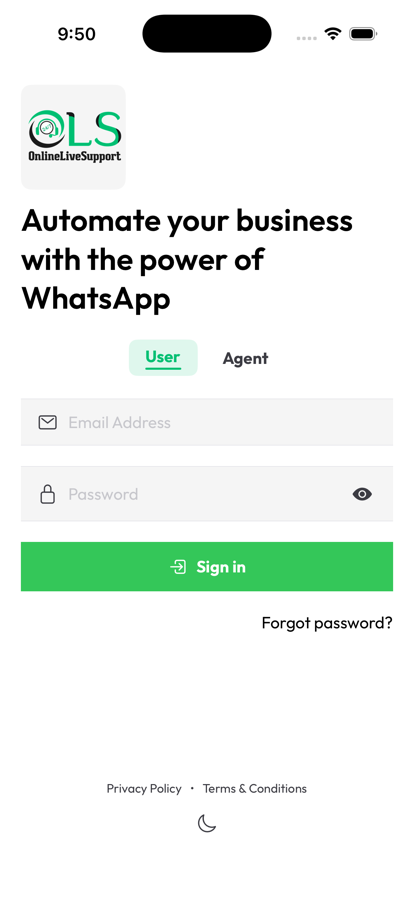
Available today on mobile web at crm.onlinelivesupport.com · Native iOS & Android app launching soon
OnlineLiveSupport WhatsApp CRM app sign in screen
Everything In Your Pocket

Run Your WhatsApp CRM From Anywhere

The same shared inbox, contacts, and campaigns as the web dashboard - built for a phone screen.
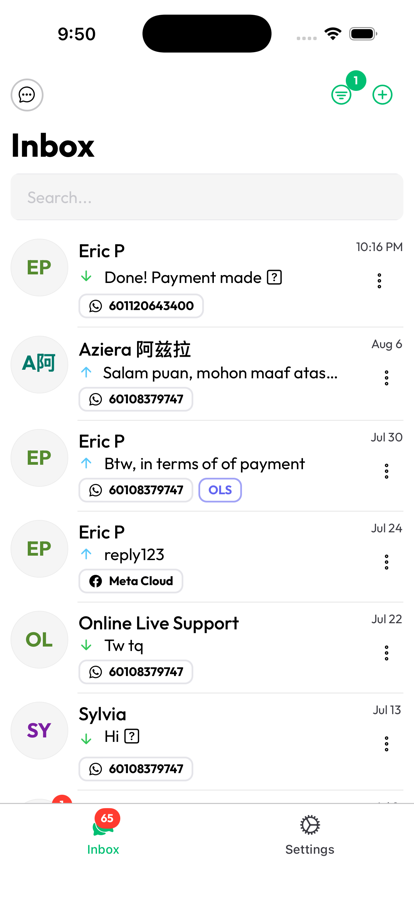
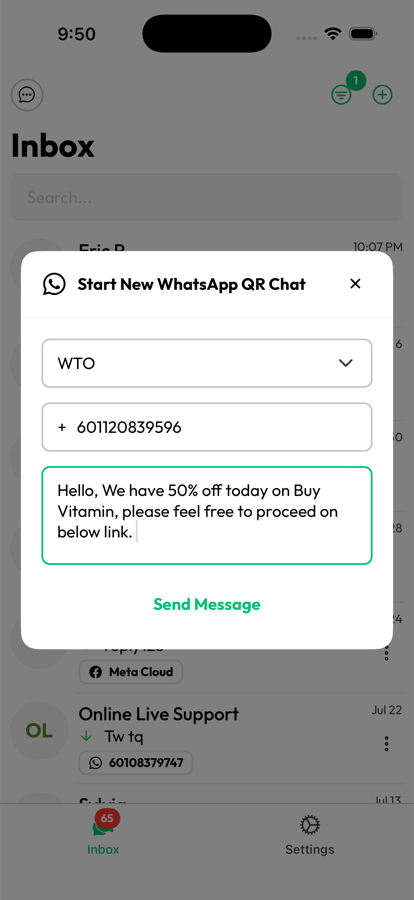
One Inbox for Every WhatsApp Conversation

  • See every chat from your QR-connected numbers and official Meta Cloud API accounts in a single list.
  • Track unread counts and jump straight into any conversation.
  • Never lose a lead between channels again.
OnlineLiveSupport WhatsApp CRM app shared inbox screen

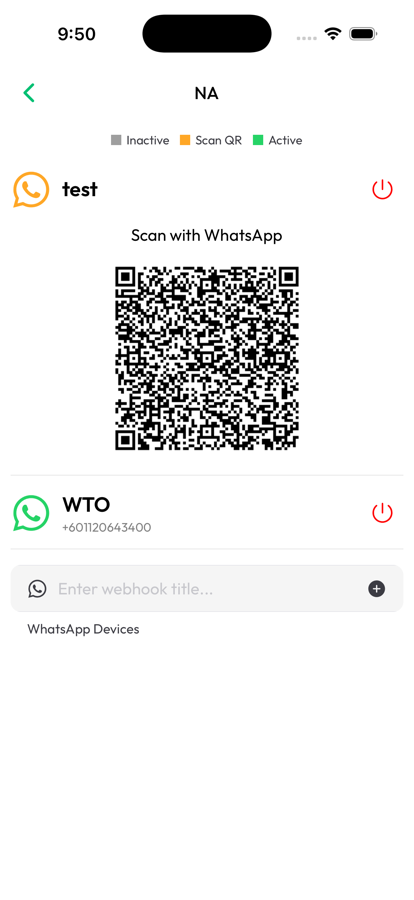
Connect Any WhatsApp Number by QR Code

  • Add a new WhatsApp number straight from your phone - no computer needed.
  • Scan the in-app QR code with WhatsApp and you're connected in seconds.
  • Manage multiple connected devices and see their live status at a glance.
Connect a WhatsApp number by QR code in the OnlineLiveSupport app

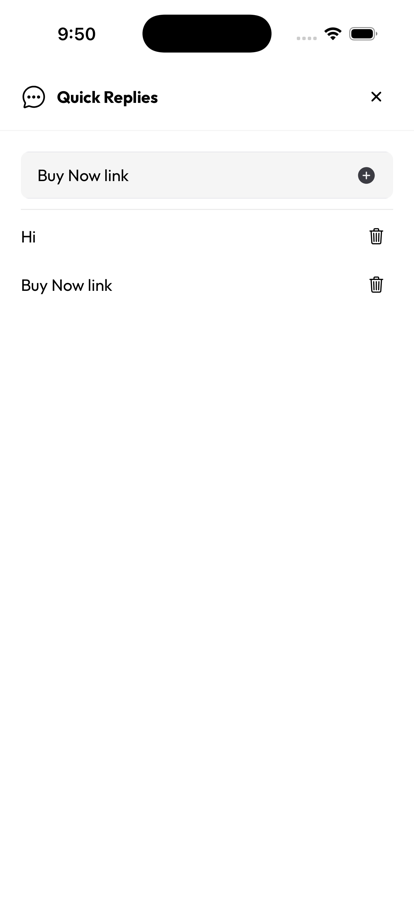
Reply Faster With Saved Quick Replies

  • Save your most-used replies, greetings, and links once.
  • Insert them into any chat with a single tap instead of retyping.
  • Perfect for FAQs, pricing, and checkout links your team sends every day.
Quick Replies screen in the OnlineLiveSupport WhatsApp CRM app

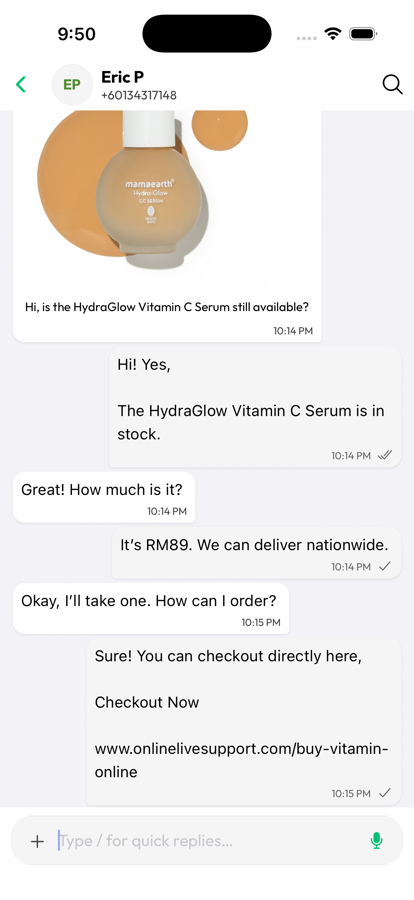
Close Sales Right Inside the Chat

  • View the full conversation history, product details, and pricing in one thread.
  • Share checkout links and confirm orders without leaving WhatsApp.
  • Respond to customers instantly, wherever you are.
Customer conversation and checkout link inside the OnlineLiveSupport app

More, Right From Your Pocket

Why Teams Use the App

Real-Time Push Notifications

Get notified the moment a customer messages, so you never miss a lead - even away from your desk.

Same Account as the Web Dashboard

The app syncs with crm.onlinelivesupport.com in real time - use the phone, the desktop, or both together.

Secure Meta Cloud API + QR Support

Connect via the official WhatsApp Business API or QR code, whichever fits how your business operates.

Free 3-Day Trial

Try the full WhatsApp CRM experience with no credit card required.

Frequently Asked Questions

Is there a WhatsApp CRM mobile app?

Yes. OnlineLiveSupport offers a WhatsApp CRM app for iOS and Android that gives you a shared team inbox, quick replies, and QR code WhatsApp connection, so you can manage conversations without a desktop.

Is the WhatsApp CRM app free to use?

OnlineLiveSupport offers a free 3-day trial with no credit card required. After the trial, the app uses the same paid plans as the web dashboard, starting at $1/day.

Does the app work on both iPhone and Android?

Yes, the OnlineLiveSupport WhatsApp CRM app is built for both iOS and Android devices.

Can I use my existing WhatsApp Business number in the app?

Yes. You can connect your existing WhatsApp or WhatsApp Business number by scanning a QR code directly from the app, or connect through the official Meta Cloud API for larger teams.

Do I need the web dashboard too, or can I use only the app?

The app and the web dashboard share the same account and data in real time, so you can use either one, or both together - reply on your phone while your team works from the desktop dashboard.

Is my WhatsApp data secure in the app?

Yes. Conversations sync securely to your OnlineLiveSupport account, and access to Meta API keys and connected devices is protected behind your account login.

Take Your WhatsApp CRM With You

Join thousands of businesses managing WhatsApp conversations with OnlineLiveSupport, on desktop and on the go.

Start Your Free 3-day Trial
No credit card required • Free 3-day trial • Cancel anytime