Convert website traffic into direct WhatsApp sales. Add a beautiful, responsive, and fully customizable WhatsApp chat bubble to WordPress, Shopify, or any HTML site in less than 2 minutes.
Create Your Free Widget Now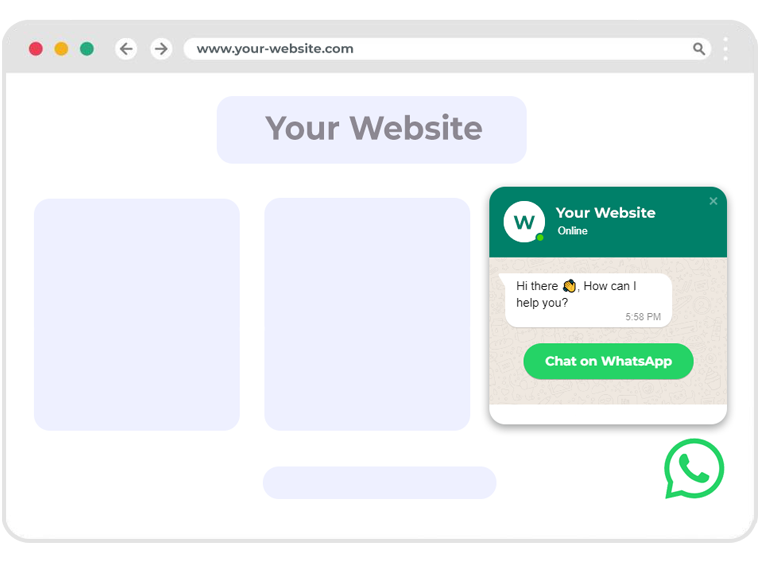
A WhatsApp Chat Widget is an elite conversion tool that bridges the gap between cold web traffic and hot personal conversations. Unlike traditional live chats that force users to stay on your website or leave an email form, the WhatsApp floating widget instantly connects visitors directly to your WhatsApp Business app. This ensures you maintain a permanent, zero-friction connection to follow up, send customized promotions, and nurture sales even after they close the browser tab.
Claim Your Free AccountEquip your website with conversational marketing elements designed to elevate engagement metrics.
It provides an frictionless, single-click method for website visitors to start talking to support agents without manually entering phone numbers or waiting for complex form submissions.
Tailor your brand logos, alignment coordinates, bubble themes, and welcome messages in real-time using our integrated builder to match your corporate brand guidelines.
Trigger automated welcome phrases precisely on load or scrolling checkpoints to capture attention and direct visitors to prompt their inquiries.
Display real-time 'Online' markers to indicate team availability, reassuring customers they will receive instant support directly in their chat applications.
Configure different agent numbers or departments to share support load, ensuring no customer goes unanswered by distributing chats systematically.
Dramatically lower drop-off ratios and easily store active phone contacts inside a flat-fee, multi-agent CRM to drive continuous marketing campaigns.
Experience massive growth in customer interaction metrics and user feedback.
Meet visitors on the platform they use every single day. Instant, personal communication nurtures trust, enhances loyalty, and results in a highly satisfactory customer journey.
Eliminate the friction of email fields or ticket waiting queues. Tapping the widget leads visitors straight into active checkout inquiries, boosting conversion rates by up to 3x.
WhatsApp is utilized by over 2.5 billion individuals globally. By providing a direct chat option, you align your customer support with the easiest communications platform available.
Customize the design, layout, margins, and welcome message in real-time, and get your free integration code instantly.
Set delay triggers or scroll depth actions to pop open a friendly greeting box exactly when visitors are most likely to convert.
Embed your floating chat widget on any CMS or site builder in three extremely simple steps.
Log in to your dashboard, enter your WhatsApp number, customize your greetings, and save to generate your widget snippet.
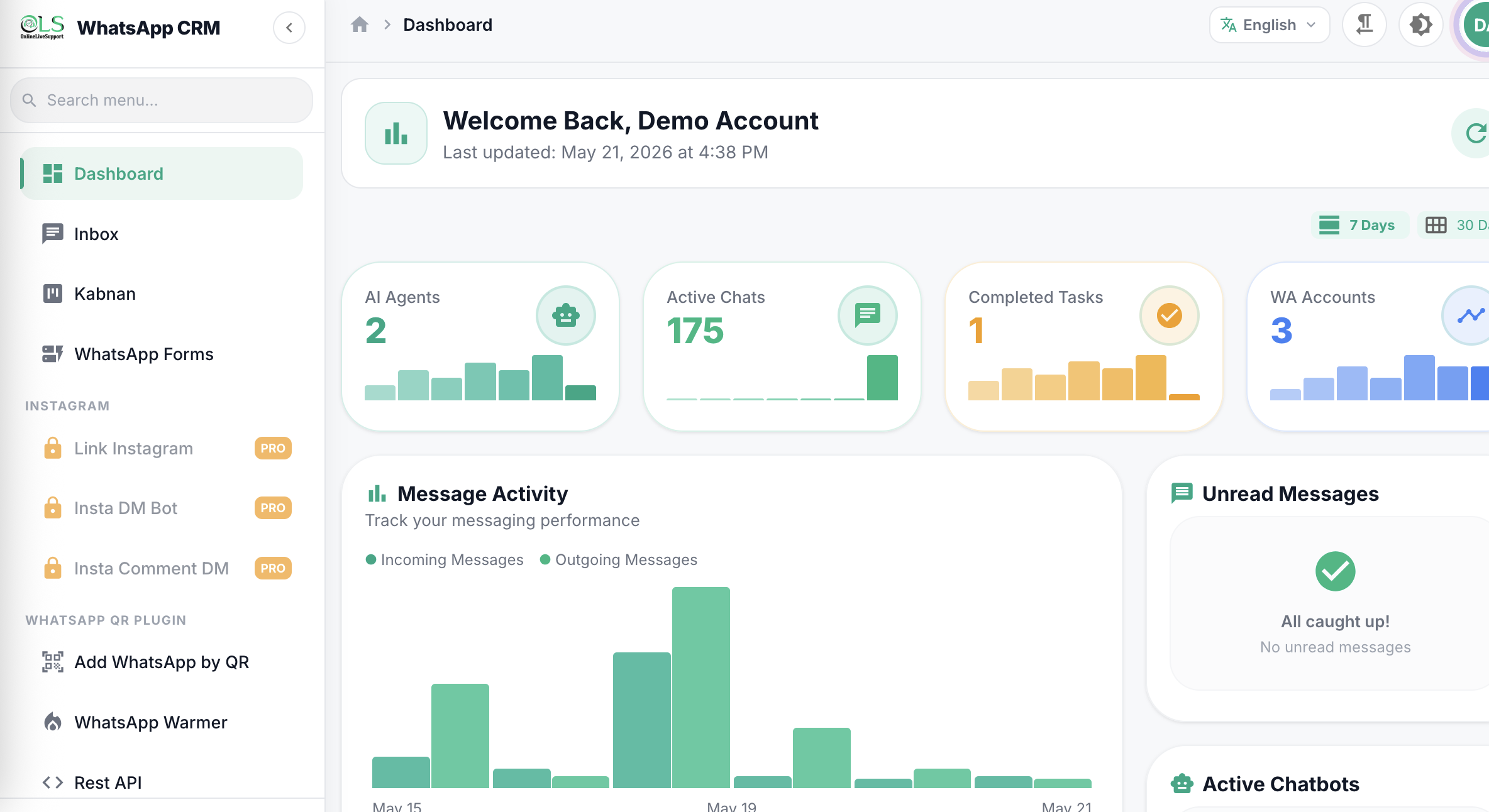
Click on Chat Widget inside your dashboard sidebar menu to access the customization panel.
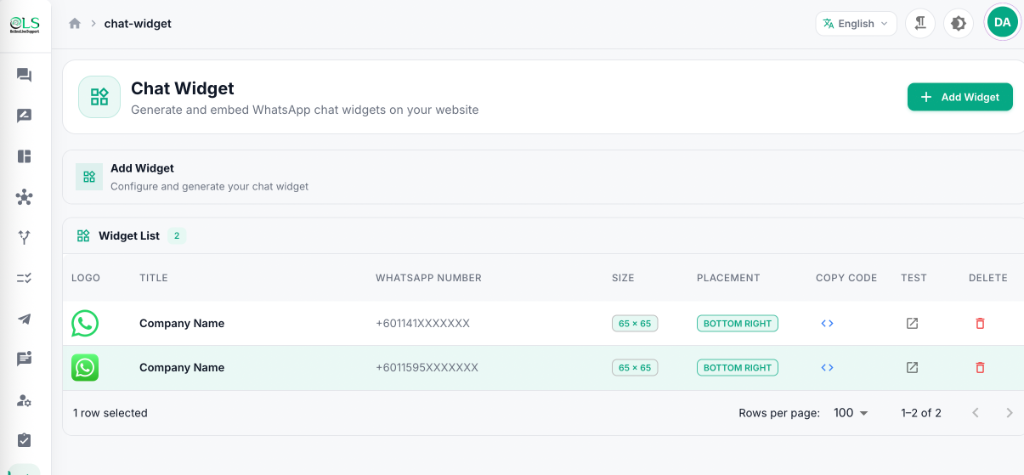
Copy the lightweight, optimized JavaScript code snippet and paste it right before the closing HTML body tag in your website builder. Your widget goes live instantly!
Don't let site visitors bounce away anonymously. Compare traditional chat widgets with our persistent messaging link.
Leads are lost the millisecond the browser window is closed.
A persistent, high-converting gateway straight to user's chat apps.
A WhatsApp Widget is an interactive floating button or chat box attached to the bottom corner of website pages that directs visitors to instantly initiate a WhatsApp conversation with your business. It is the quickest and easiest way for website visitors to contact support or sales teams directly.
Yes, OnlineLiveSupport’s basic WhatsApp Chat Widget is free to use. For advanced workflows like multi-agent CRM routing, automated AI chatbot responses, and bulk blast follow-ups, you can upgrade to OLS flat pricing plans starting from just $1/day.
Simply use our free widget generator to input your phone number, display name, and avatar. Copy the generated lightweight script code snippet and paste it right before the closing body tag of your website HTML. It works natively across WordPress, Shopify, Wix, and custom HTML platforms.
Absolutely! You can customize the widget theme color, text positioning (left or right), custom brand logos, bottom/side margins, and initial welcome greeting text to perfectly align with your brand's unique aesthetics.
Yes! By connecting the widget to the OnlineLiveSupport platform, you can orchestrate automated chatbot greetings, deploy AI voice calls, link sheets, and route messages to specialized agents using the flat Pro and Business packages.
It takes less than 2 minutes. Enter your WhatsApp details, select alignment and brand colors, copy the generated code line, and place it in your site's header or footer codebase.
No. OnlineLiveSupport's widget script is extremely lightweight and loads asynchronously, ensuring zero impact on your website performance, Largest Contentful Paint (LCP), or Core Web Vitals scoring.
When clicked, it opens a responsive welcome box. Clicking 'Start Chat' directly triggers the native WhatsApp application on mobile devices or WhatsApp Web on desktop browsers, preloaded with your welcome greeting.