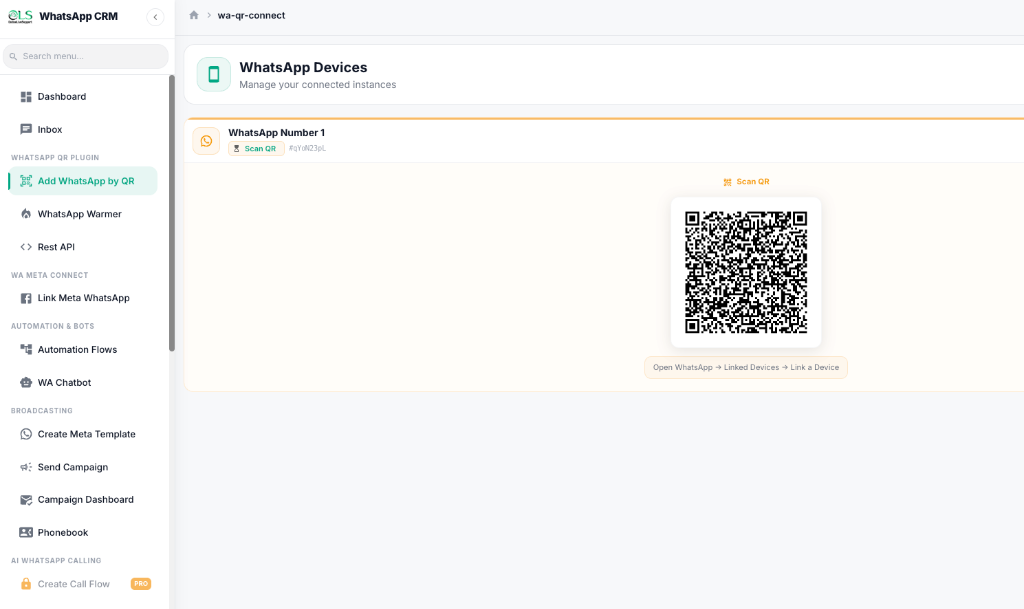
Connect your WhatsApp number, import your contacts, and launch your first bulk campaign in four simple steps — no coding and no official API setup required.
Start Your Free Trial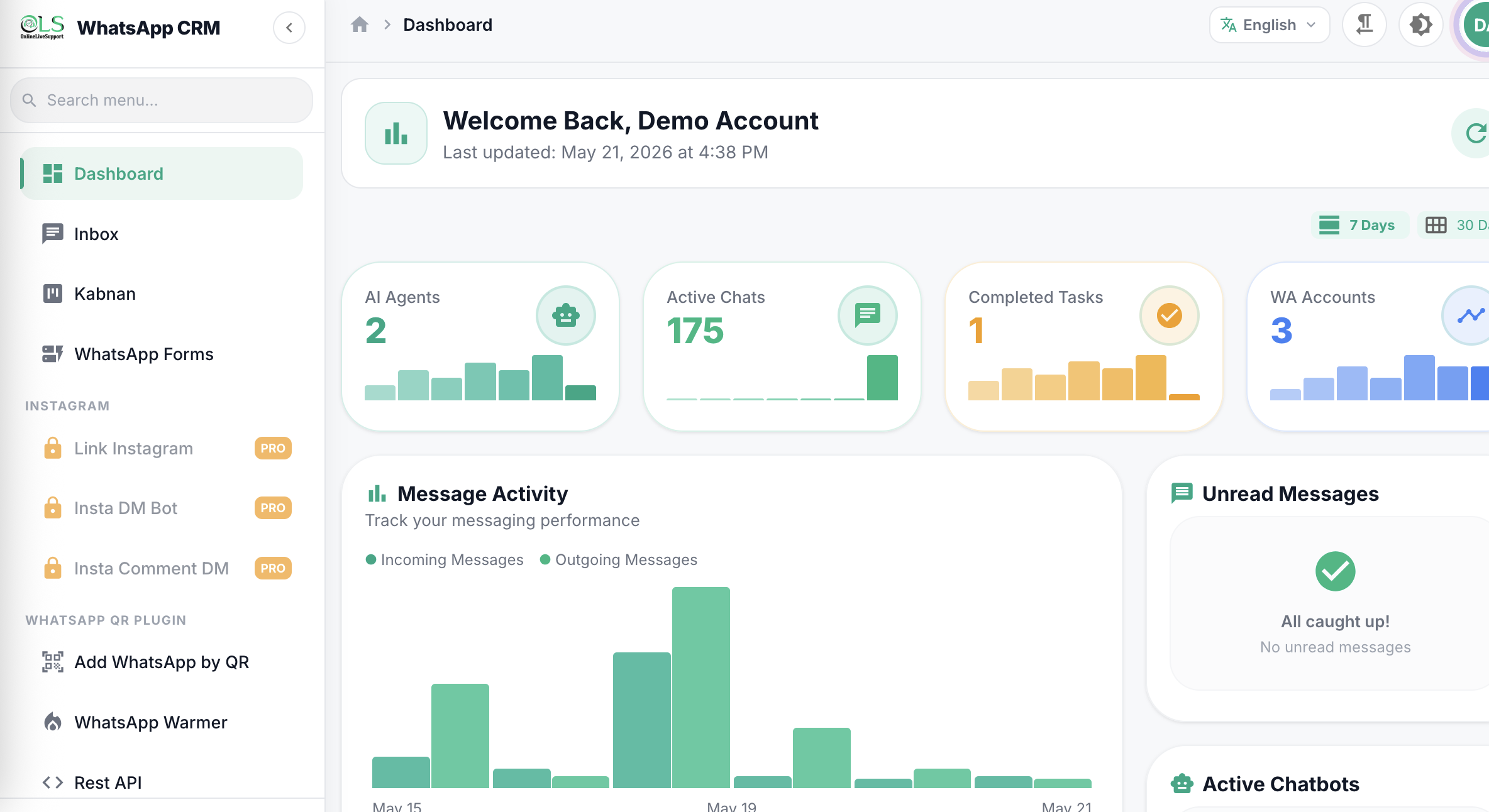
Important: The QR code method is an unofficial WhatsApp connection, similar to WhatsApp Web. Please send messages responsibly and only to contacts who have opted in or are expecting your messages. See the sending guidelines below before you launch your first campaign.
Follow these four steps inside your OnlineLiveSupport dashboard to send your first WhatsApp bulk campaign.
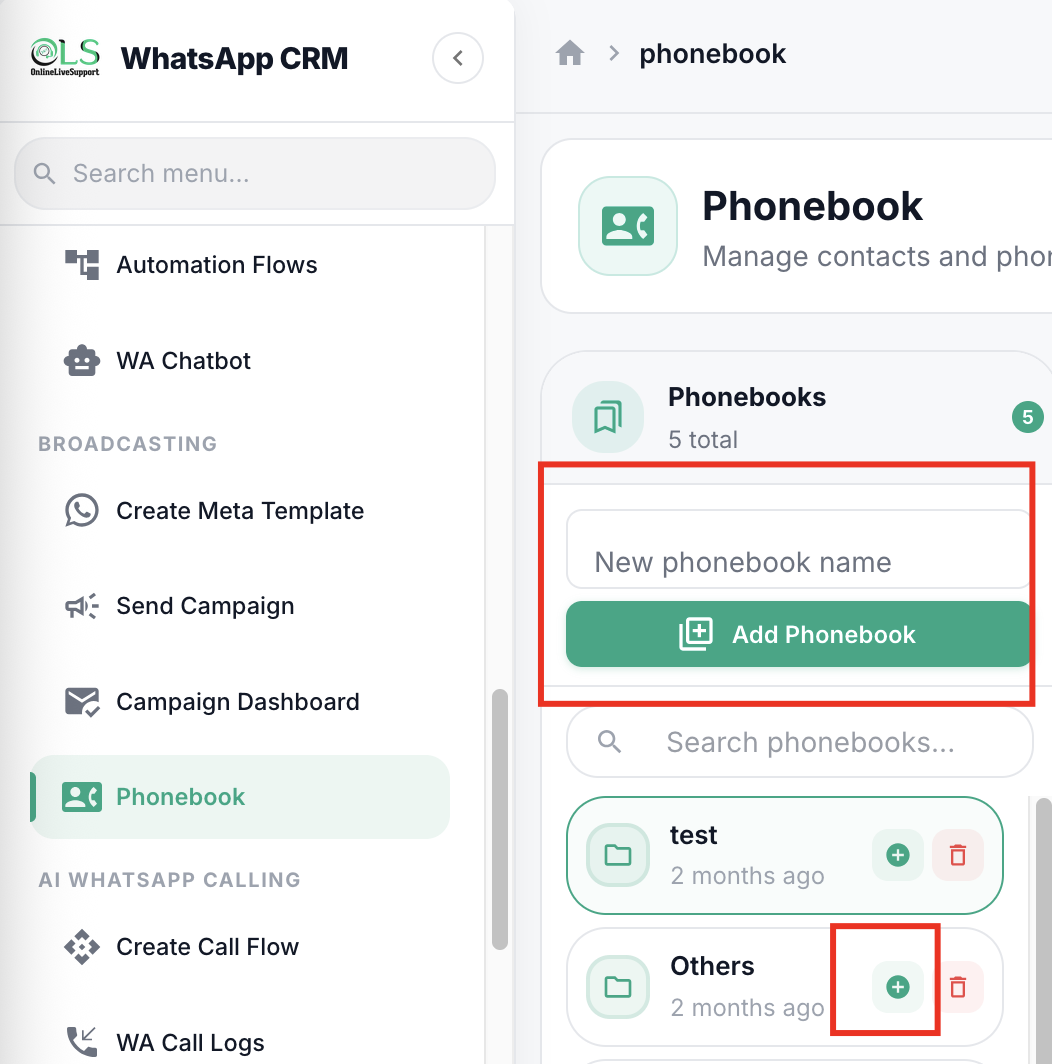
Before creating your campaign, add the contacts you want to message to a Phonebook.
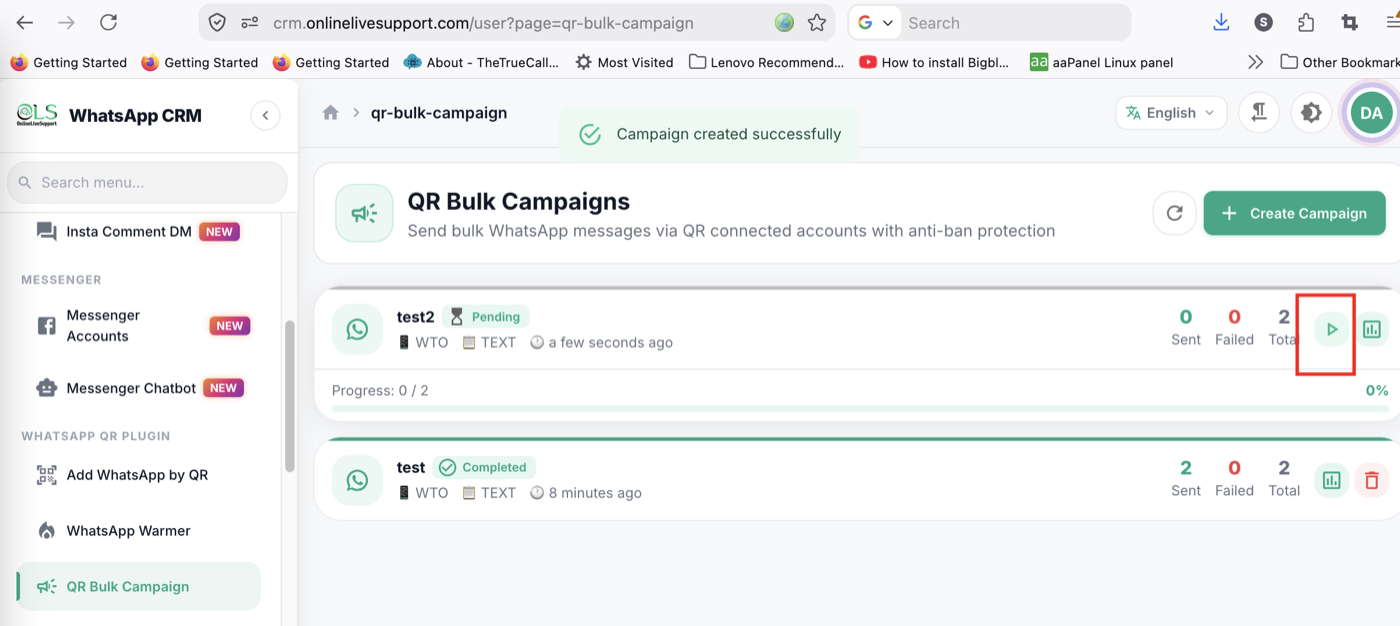
If you're using the QR (unofficial) connection, start slowly - especially with a new or recently connected WhatsApp number.
Please note: there is no guaranteed method to prevent WhatsApp from restricting an account. Sending gradually and messaging opted-in contacts only is strongly recommended. For larger, recurring campaigns, consider the official Meta WhatsApp Business API instead.
A WhatsApp blast (also called a WhatsApp bulk campaign) is a single message sent to many contacts on WhatsApp at once, instead of messaging each person one by one. OnlineLiveSupport lets you send a blast either through the official Meta WhatsApp Business API or through a QR-connected WhatsApp number.
The QR code method is an unofficial WhatsApp connection, similar to WhatsApp Web. It works well for smaller volumes but isn't endorsed by Meta, so there's no guaranteed way to prevent WhatsApp from restricting an account. Send gradually and only message contacts who have opted in.
For a new or recently connected number, start with 5-10 messages on the first day and increase the volume gradually if everything works normally. Avoid sending hundreds of messages at once or repeating the exact same message to a large number of people.
QR Bulk Campaign connects your personal or WhatsApp Business app via QR code, similar to WhatsApp Web, and is quick to set up for smaller lists. The official Meta WhatsApp Business API (Send Campaign in OnlineLiveSupport) uses approved message templates and Meta's infrastructure, and is recommended for larger, recurring campaigns.
No. OnlineLiveSupport's QR Bulk Campaign and Phonebook tools are fully visual - you connect your number, import a CSV of contacts, write your message, and click Run. No coding or technical setup is required.
Yes. OnlineLiveSupport offers a free 3-day trial with no credit card required, so you can connect a WhatsApp number and test a small campaign before subscribing to a paid plan.
If you face any issue connecting your WhatsApp number, importing contacts, or creating a campaign, contact the OnlineLiveSupport team and we'll guide you through the setup.
Contact SupportJoin thousands of businesses using OnlineLiveSupport to send safe, reliable WhatsApp bulk campaigns.
Start Your Free 3-day Trial