Build no-code order forms, surveys, and lead capture workflows. Collect replies directly inside WhatsApp and automatically sync data straight to Google Sheets.
Start Building Forms Now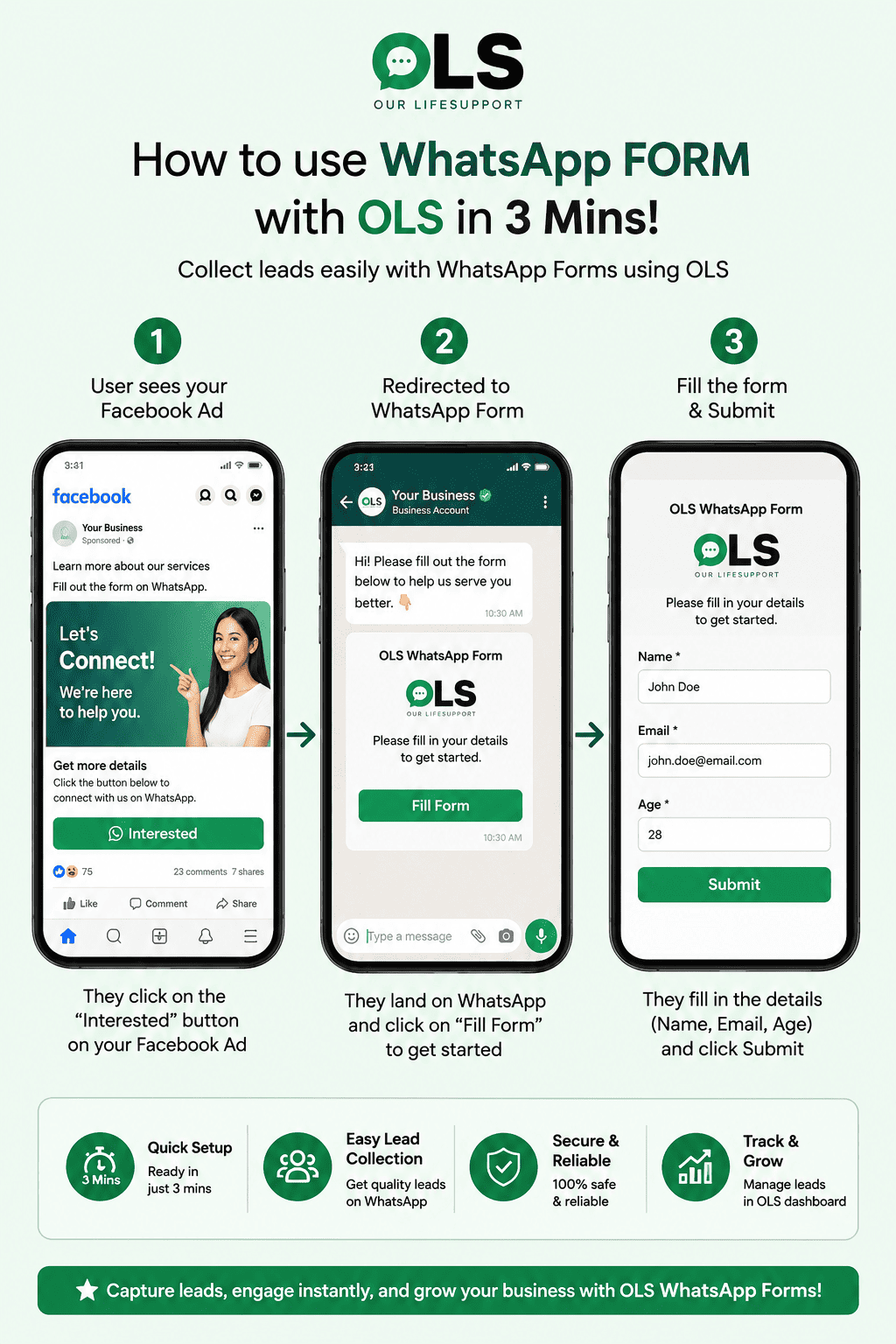
Create visual order and registration paths without code. Guide customers step-by-step using interactive WABA buttons.
Map form responses to specific Google Sheet columns. Update customer data in real-time as they fill details in their WhatsApp chat.
Set triggers, filters, and action nodes to route leads, assign custom tags, and trigger prompt follow-ups automatically.
Natively link WhatsApp chat inputs to specific columns inside Google Sheets using our visual drag-and-drop Automation Flow editor. No coding required.
Launch conversational order paths and capture sheets in just three simple steps using the OnlineLiveSupport dashboard.
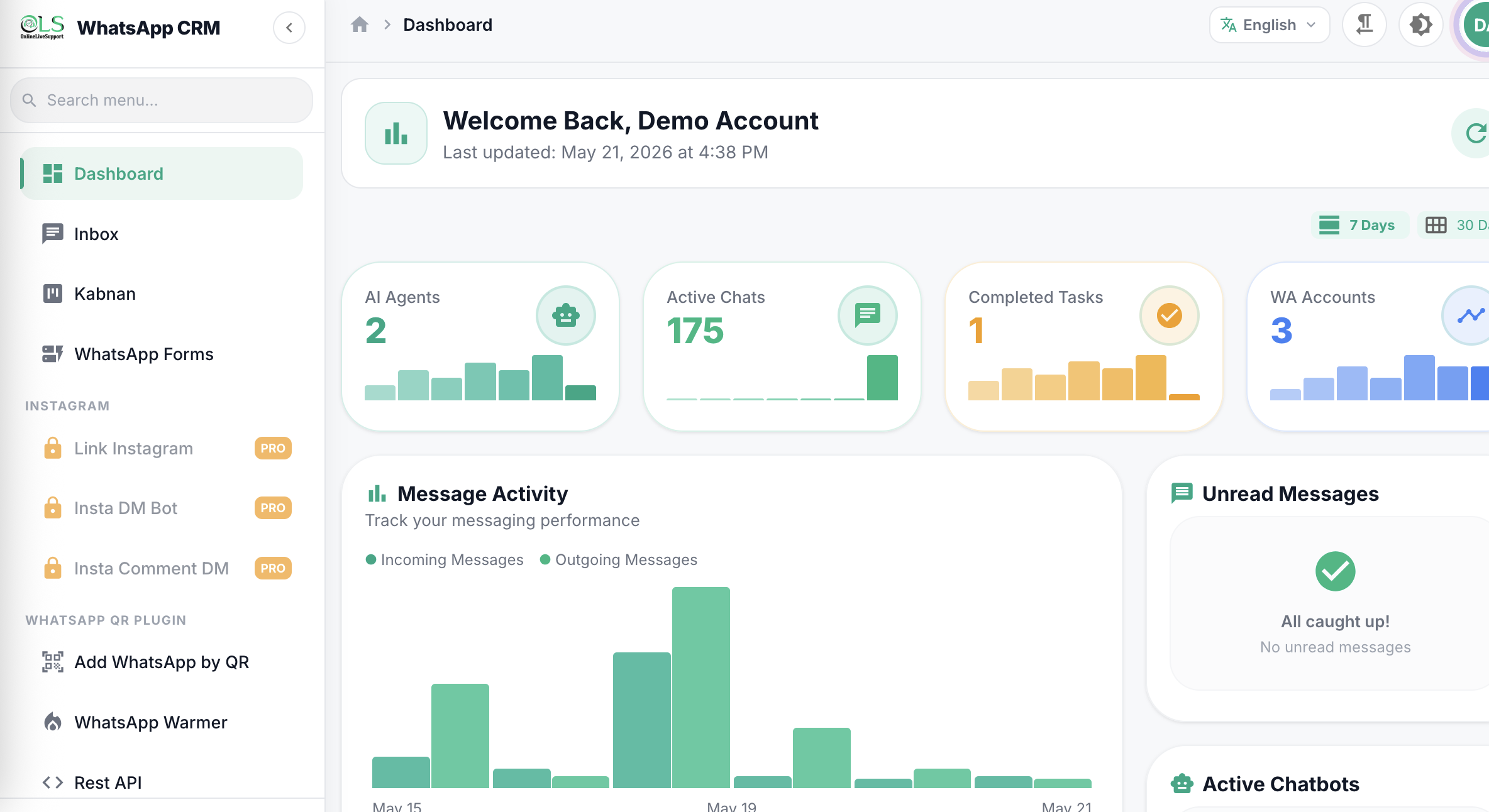
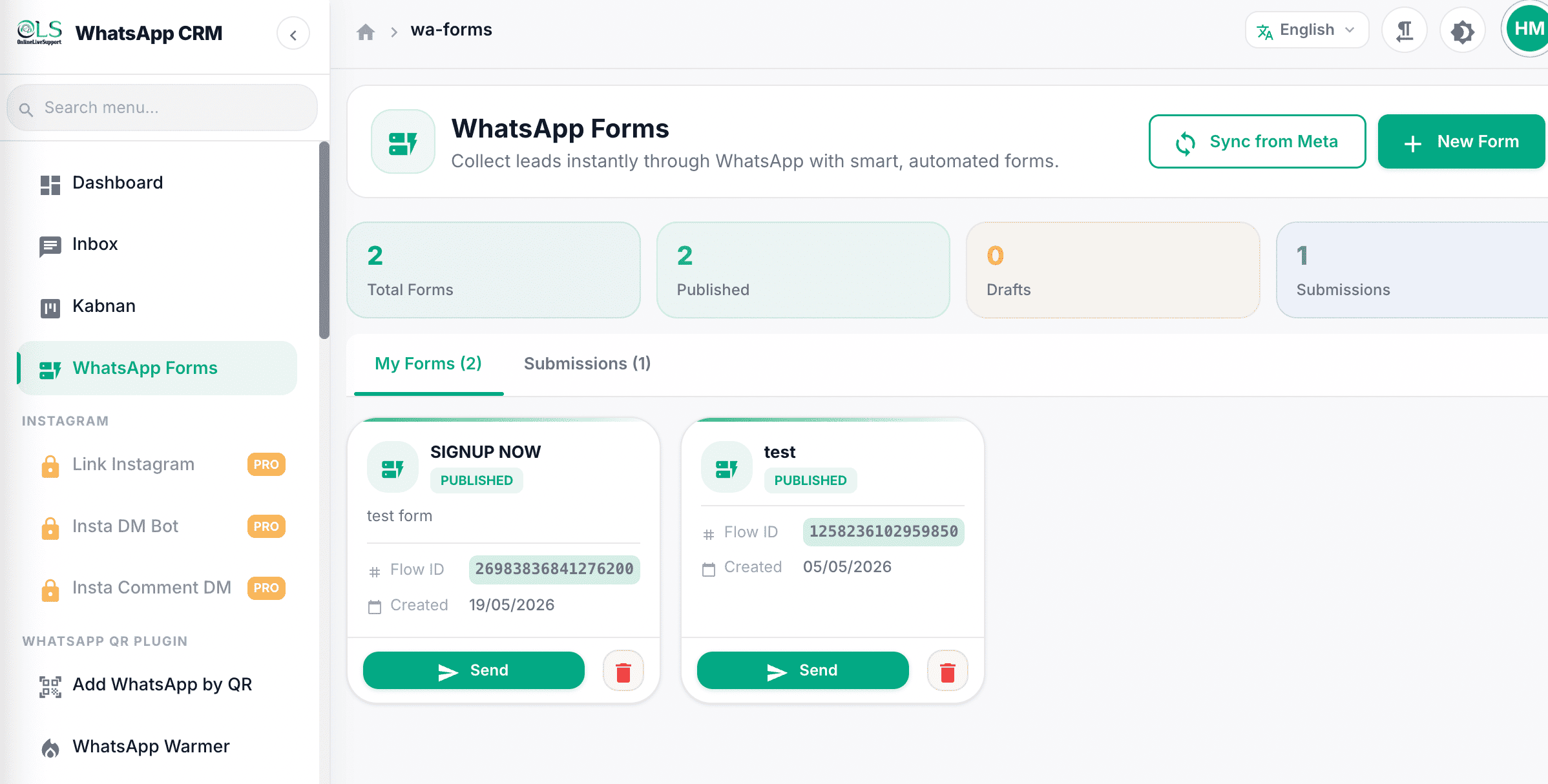
Access your OnlineLiveSupport account. In step 1, access the main conversational marketing dashboard panel.
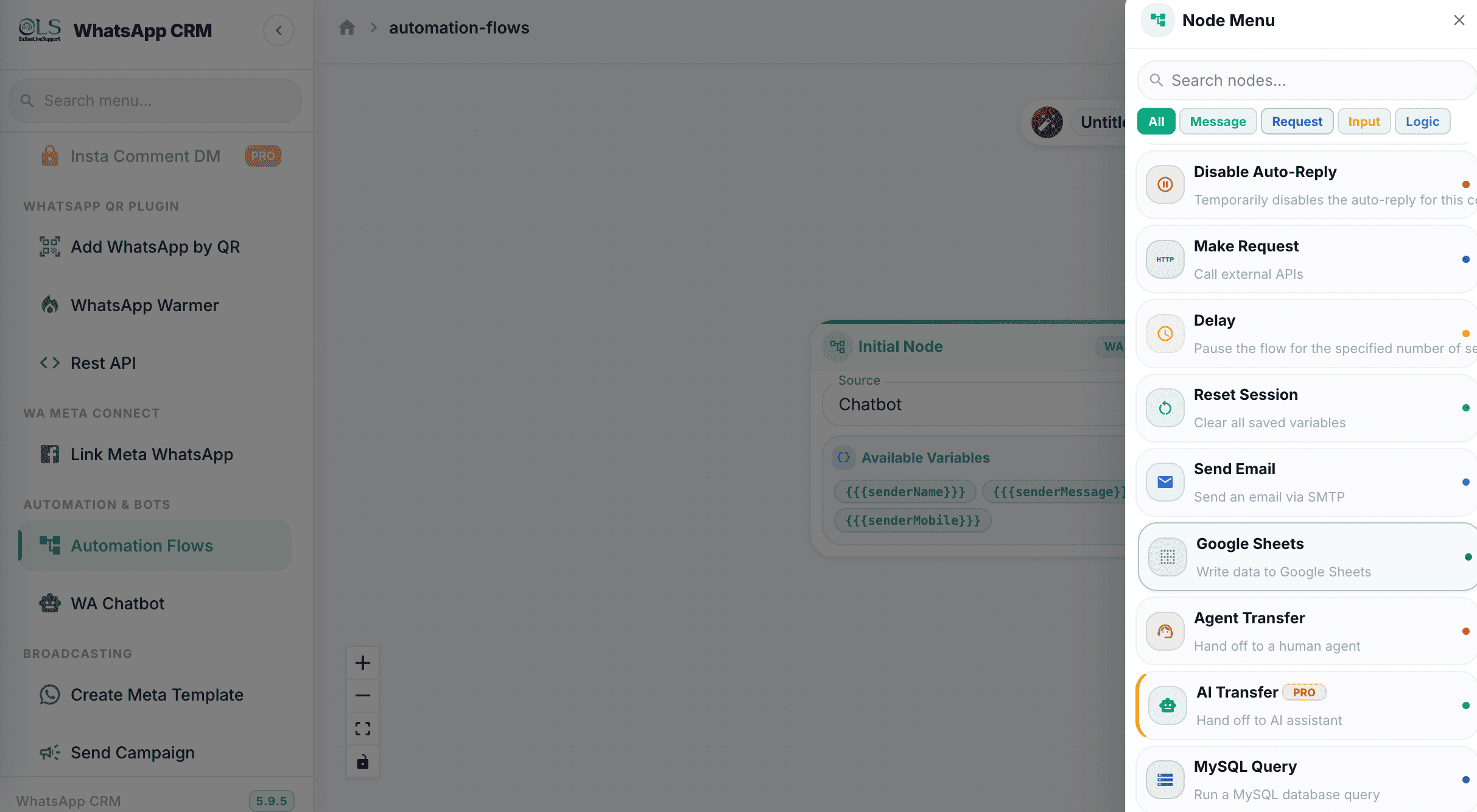
Navigate to the automation builder panel and click on "WhatsApp FORM" to access the form design window.
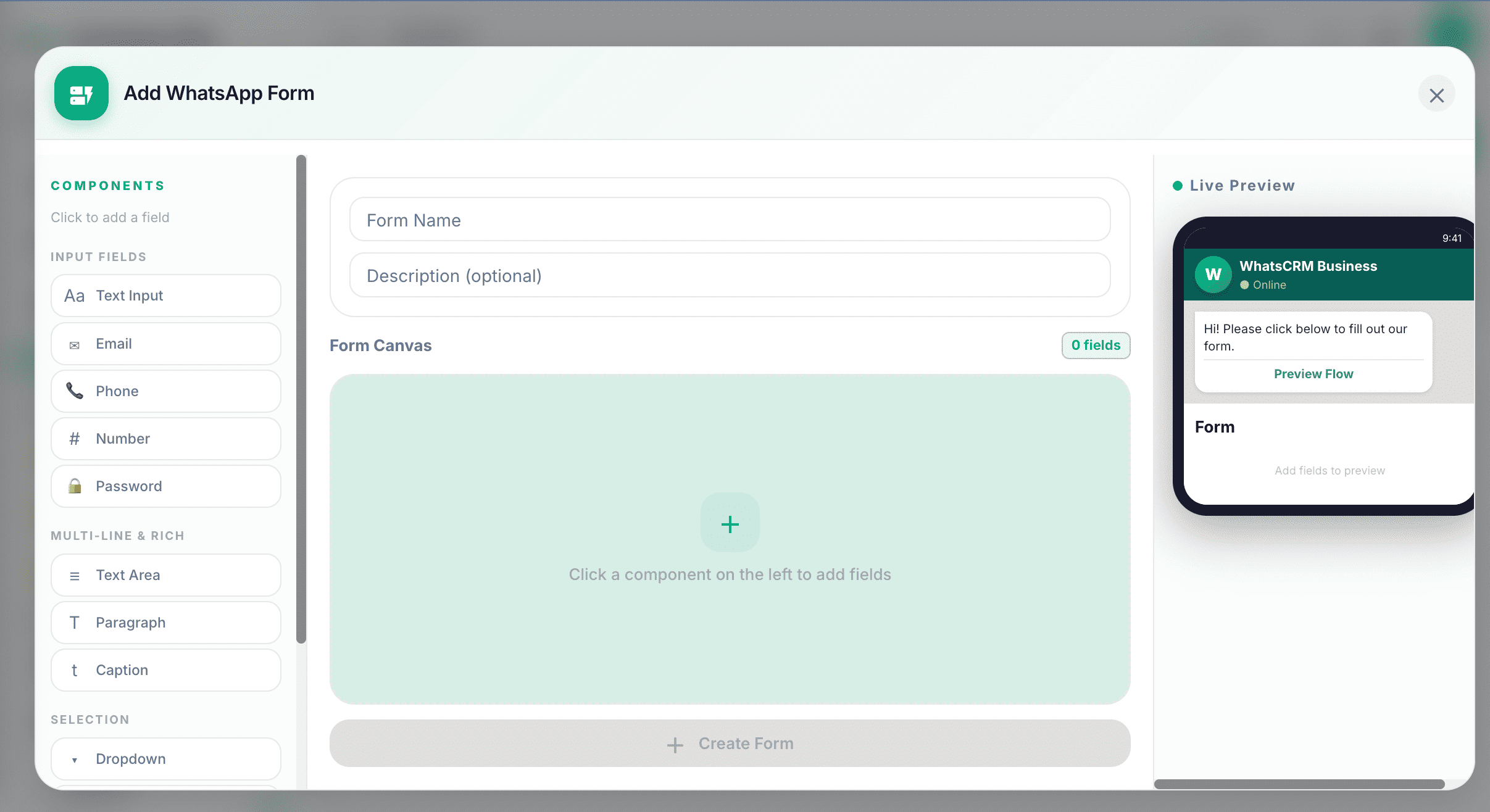
Define triggers and instantly send forms to customers in WABA chat, automatically saving inputs to Google Sheets.
Quit copy-pasting customer details. Compare manual chat systems to OLS's visual Google Sheets sync pipeline.
Wastes hours of support time copying messages.
A fully-featured, visual Google Sheets automation system.
You can easily build custom WhatsApp forms using OnlineLiveSupport's drag-and-drop Automation Flow editor. Simply design your question paths, define button-reply options, and launch them instantly in WABA chat without writing any code.
WhatsApp does not have a native form-building tool, but you can build rich interactive forms using the official WhatsApp Business API (WABA) buttons, list selectors, and automated chat menus powered by OnlineLiveSupport CRM.
When a customer initiates a chat or clicks on an ad, the automated flow dispatches the first form query with clickable buttons. As they select options or type text, the chatbot captures each response in sequence and updates your CRM fields or Google Sheet instantly.
In customer service, writing short forms means using abbreviation shortcuts or quick list menus to let clients choose answers quickly. With OLS, you can create quick buttons (e.g. "Interested", "Schedule Call") so users don't have to type long messages.
Instead of redirecting users to an external browser tab, you can recreate your Google Form fields inside OnlineLiveSupport's visual WhatsApp automation editor. Responses are then collected directly within the chat window, maximizing completion rates up to 3x.
Join thousands of businesses using automated WABA WhatsApp Forms by OnlineLiveSupport.
Start Your Free 3-day Trial