WhatsApp Usernames Are Here — Is Your Business Ready?
Customers can now find your business via @username — no phone number needed. Every new conversation they start lands in your inbox. Use OnlineLiveSupport CRM to capture every lead, auto-reply instantly, and never miss a username-driven message.
WhatsApp Username Rollout Timeline
WhatsApp is rolling out usernames in waves. Here's when it reaches your market — and why you need to be ready before it does.
Beta Rollout ✅
Limited beta active for select users globally on Android & iOS. BSUIDs live in all API webhooks.
First Countries Go Live
Algeria, Azerbaijan, Ghana, Libya, Nepal. Usernames become publicly searchable for the first time.
Expansion Wave
Second batch of countries. Global adoption starts accelerating. New conversations flowing in.
Rest of World
Full global rollout. Every business with a WhatsApp username can receive conversations from new contacts.







What Are WhatsApp Usernames?
WhatsApp usernames let users and businesses create a unique @handle — like @mybusiness — that others can use to start a conversation without knowing your phone number.
It's WhatsApp's biggest privacy update since launch. For personal users, it means sharing a handle instead of digits. For businesses, it means a new channel of inbound leads: anyone who knows your @username can message you directly.
- ✓ Customers find your business via @yourbrandname
- ✓ No phone number exchange needed to start chatting
- ✓ Available on Android, iOS, Web, and Desktop
- ✓ Optional Username Key for extra privacy control
Username Format Rules
How to Set & Find Your WhatsApp Username
Works on Android & iOS. Takes under 2 minutes.
Update WhatsApp
Open App Store or Google Play and update WhatsApp to the latest version. Usernames require the most recent build.
Go to Settings → Account
Open WhatsApp → tap Settings (iOS: bottom-right / Android: ⋮ menu) → tap Account. Look for the Username field.
Choose Your @handle
Enter a unique handle (3–35 chars, lowercase only). Must be unclaimed across WhatsApp, Instagram, and Facebook.
Save & Share
Tap Save. Your @username is live. Share it instead of your phone number — customers can find and message you directly.
Your @Username Will Drive More Conversations.
Are You Ready to Handle Them?
A WhatsApp username makes you discoverable. That's a good problem — but only if you have the infrastructure to convert every new conversation into a paying customer.
Never Miss a Message
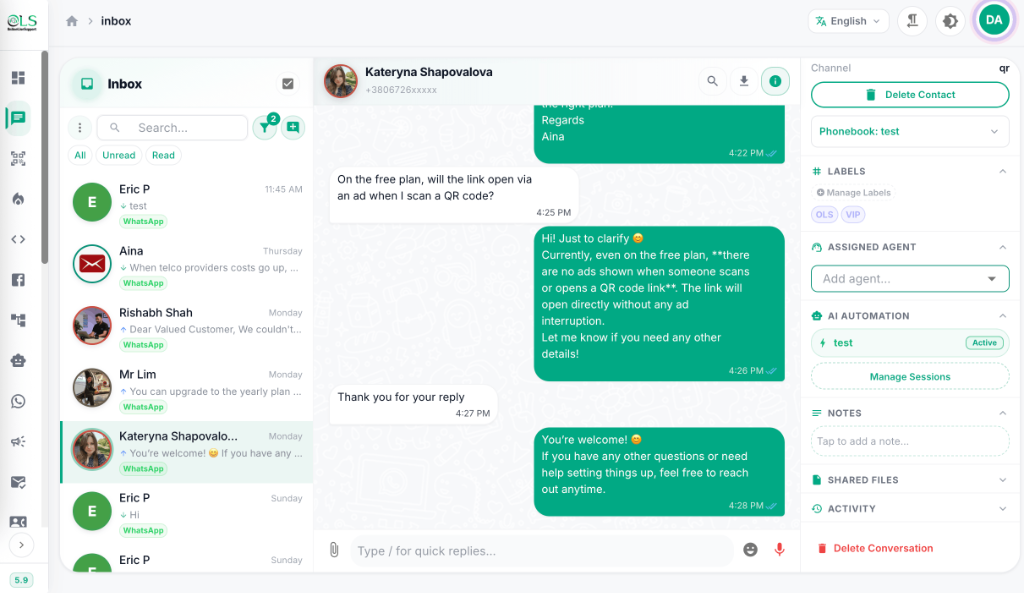
OLS CRM's shared team inbox captures every conversation that comes through your WhatsApp username — day or night, even when your team is offline.
Auto-Reply Instantly
Set up an AI chatbot to respond to new username contacts within seconds — qualify leads, answer FAQs, and book appointments automatically.
Follow Up with Broadcasts
Once a username contact is in your CRM, send WhatsApp broadcast campaigns to re-engage them with offers, updates, and promotions — from $1/day.
Shared Team Inbox — Built for Username Volume
When your WhatsApp @username goes live, multiple agents can respond simultaneously from one shared inbox. Assign conversations, add internal notes, and use labels to track lead status — without any message slipping through.
- ✓ Multi-agent shared inbox on one WhatsApp number
- ✓ Auto-assign new conversations to the right team member
- ✓ Contact labels, tags, and conversation history
- ✓ Works with QR connection & official Meta WABA API
AI Chatbot — Converts Username Visitors 24/7
The moment someone finds your @username and messages you, your AI chatbot kicks in. It greets them, qualifies their intent, answers common questions, and routes hot leads to your sales team — even at 3am.
- ✓ Powered by OpenAI, Google Gemini, or DeepSeek
- ✓ Send instant welcome messages to new @username contacts
- ✓ Lead qualification flows — pricing, availability, product interest
- ✓ Hand off to human agent when needed, seamlessly
AI Auto-Reply Example
Customer via @yourbusiness:
"Hi, I found you via your WhatsApp username. How much is your CRM plan?"
AI Chatbot (instant reply):
"Hi! Thanks for reaching out 👋 Our plans start at just $1/day. Reply '1' for Starter, '2' for Pro, or I'll connect you with our team now!"
WhatsApp Broadcast — Re-Engage Every Username Contact
Once a username-based contact is saved in your CRM, they become a permanent lead you can re-engage. Send targeted broadcast campaigns with offers, updates, and follow-ups — at a flat rate with zero per-message markup.
- ✓ Schedule broadcasts by segment (new username leads, warm leads, etc.)
- ✓ You pay Meta directly — OLS charges zero markup
- ✓ Track open rates, click rates, and conversions
- ✓ Works on both QR connection & Meta WABA API
Businesses Already Using OLS for WhatsApp
Before usernames, OLS was already handling thousands of WhatsApp conversations for these teams. Now they're ready for the username wave.
"Since WhatsApp usernames rolled out, we get new conversations daily from people who found our @handle. OLS CRM captures every one in our shared inbox — no lead lost."
"The AI chatbot auto-replies to anyone who messages our WhatsApp username — even at 2am. Our response rate went from 60% to 100%."
"We were worried about managing the increase in conversations after setting our username. OLS handled it effortlessly — team inbox, labels, auto-routing all work perfectly."
"Setting up OLS before the username rollout was the smartest move we made. Every new contact via username gets an instant automated welcome message."
Get Your Business Ready for WhatsApp Usernames
Set up your OLS CRM before the next rollout wave. Connect via QR in 2 minutes — no technical knowledge needed.
- ✓ Shared WhatsApp Inbox
- ✓ AI Chatbot
- ✓ QR Connection
- ✓ WhatsApp Broadcast
- ✓ 3,000 contacts
- ✓ Everything in Starter
- ✓ Official Meta WABA API
- ✓ Google Sheets Integration
- ✓ 3 QR accounts
- ✓ 10,000 contacts
3-day free trial · Cancel anytime · Setup in 2 minutes
Frequently Asked Questions About WhatsApp Usernames
What is a WhatsApp username?
A WhatsApp username is a unique @handle (like @yourname) you can set in WhatsApp Settings → Account → Username. It lets people find and message you without needing your phone number. It's optional and rolls out globally from July 2026. Your username must be unique across WhatsApp, Instagram, and Facebook simultaneously.
How do I find my WhatsApp username?
Open WhatsApp → Settings → Account → Username. Your current username is displayed there. If you haven't set one, you'll see an option to create it. If the field isn't visible yet, the feature hasn't reached your account — keep WhatsApp updated and check back, as the rollout continues through September 2026.
What is my WhatsApp username — how is it different from my display name?
Your display name is what contacts see in their chat list (it can be anything). Your WhatsApp username is a unique @handle that others search to find you — similar to an Instagram or Twitter handle. You set your username in Settings → Account → Username. Your display name is set separately under Profile.
How do I find someone else's WhatsApp username?
Open WhatsApp and use the search bar. Type the person's exact @username. WhatsApp shows no public directory or autocomplete suggestions — you must know the full, exact handle. There's no way to browse usernames or search partial handles. The person you're looking for must share their @username with you directly.
Do WhatsApp usernames work on both Android and iOS?
Yes. The WhatsApp username feature is available on Android, iOS, WhatsApp Web, and WhatsApp Desktop. Both platforms require the latest WhatsApp version installed. The feature is rolling out in waves: Wave 1 launched July 7, 2026 for Algeria, Azerbaijan, Ghana, Libya, and Nepal; Wave 2 launches July 20, 2026; full global rollout continues from September 2026.
How do I find out my WhatsApp username if I forgot it?
Go to WhatsApp → Settings → Account → Username. Your current username is shown at the top. You can also change it from this screen. Note: if you change your username, your old one may be claimable by others — you may not be able to get it back. WhatsApp does not send username confirmation emails, so this Settings screen is the only place to find it.
As a business, what do I need to do to be ready for WhatsApp usernames?
Three steps: (1) Reserve your WhatsApp business username in WhatsApp Manager → Phone Numbers → Username — do this before your market's rollout date. (2) Set up a CRM like OnlineLiveSupport so every new conversation from your @username is captured in a shared team inbox. (3) Set up an AI chatbot to auto-reply instantly to new contacts — first response speed is the biggest conversion driver for username-based leads.
Can businesses send bulk messages to WhatsApp username contacts?
Yes, once a username-based contact has messaged your business, you receive their Business Scoped User ID (BSUID). OnlineLiveSupport CRM stores this alongside their contact record, allowing you to include them in future broadcast campaigns. You cannot proactively bulk-message strangers via username — they must initiate contact first.
Don't Let Username Leads Slip Through
Every customer who finds your @username and sends a message is a potential sale. OLS CRM makes sure not one of them goes unanswered. Set up in 2 minutes, free for 3 days.
Start Your Free Trial NowNo credit card · QR setup in 2 minutes · Cancel anytime